Fillable PDF & Word Forms

Flat print-and-scan documents rebuilt as interactive fillable forms – typed fields, validated formats, automatic calculations, one-click actions.
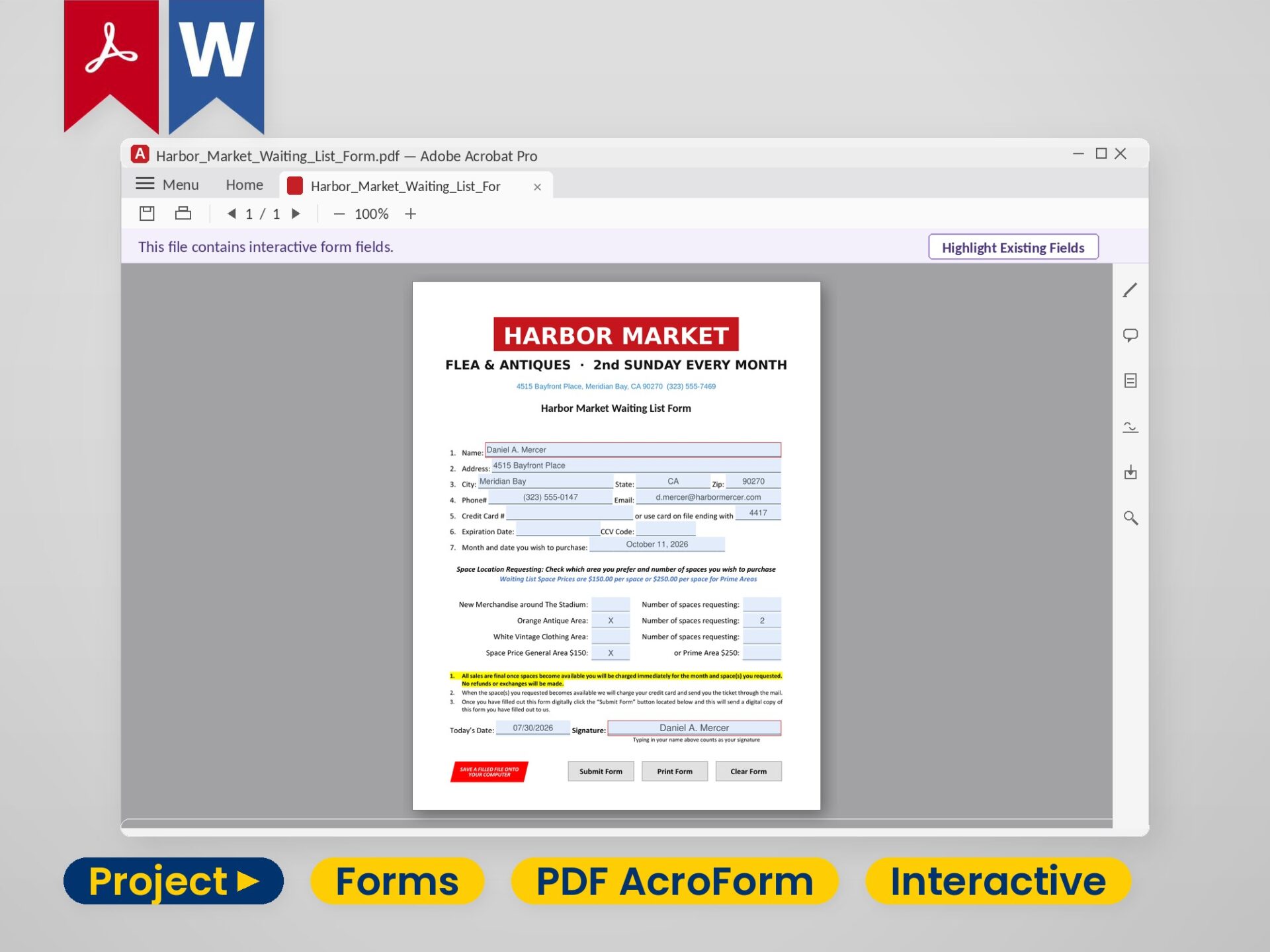
An interactive fillable PDF form open in Adobe Acrobat Pro, fields highlighted and filled in
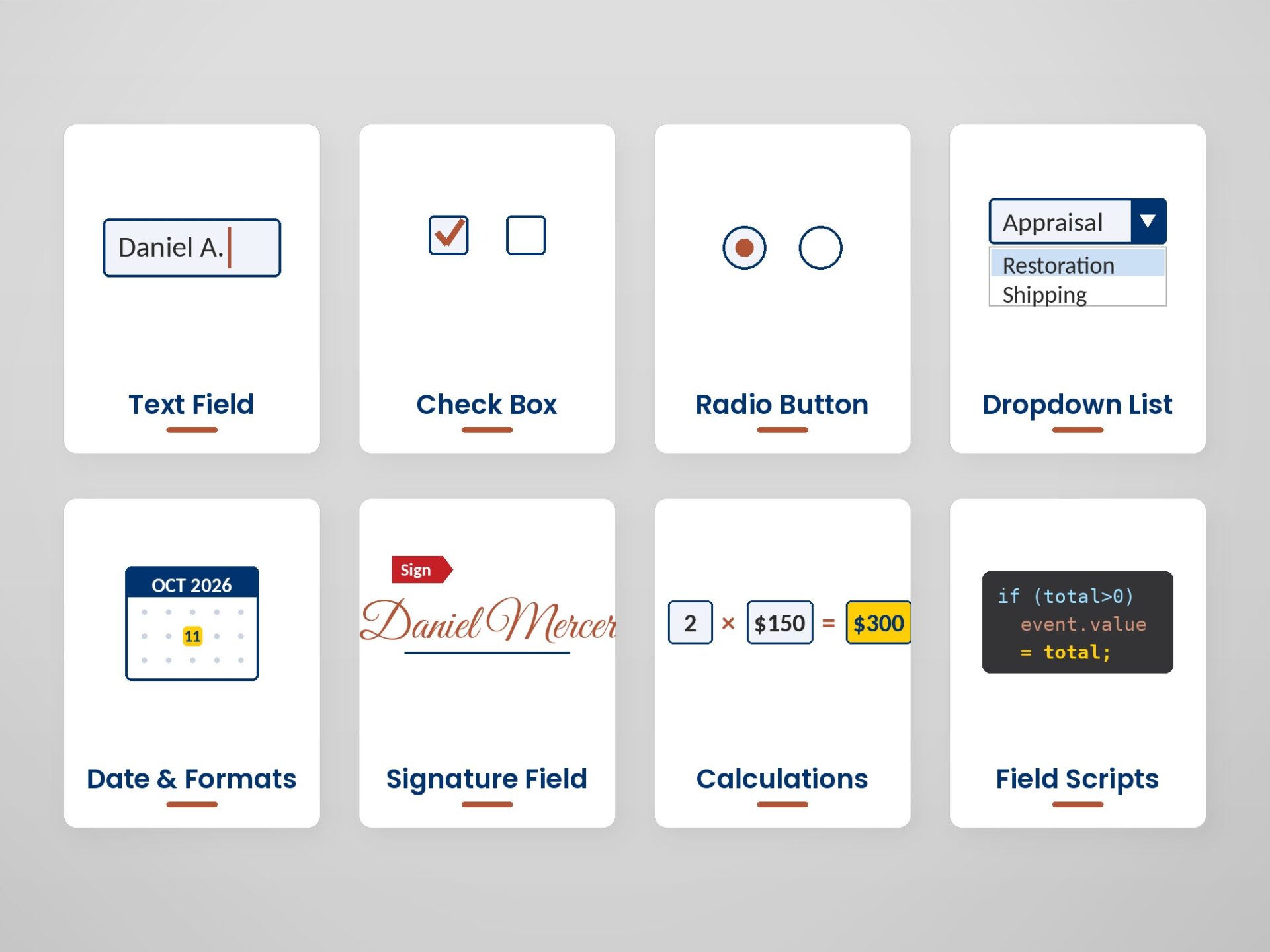
Eight PDF form elements – text, checkbox, radio, dropdown, date, signature, calculations, and scripts
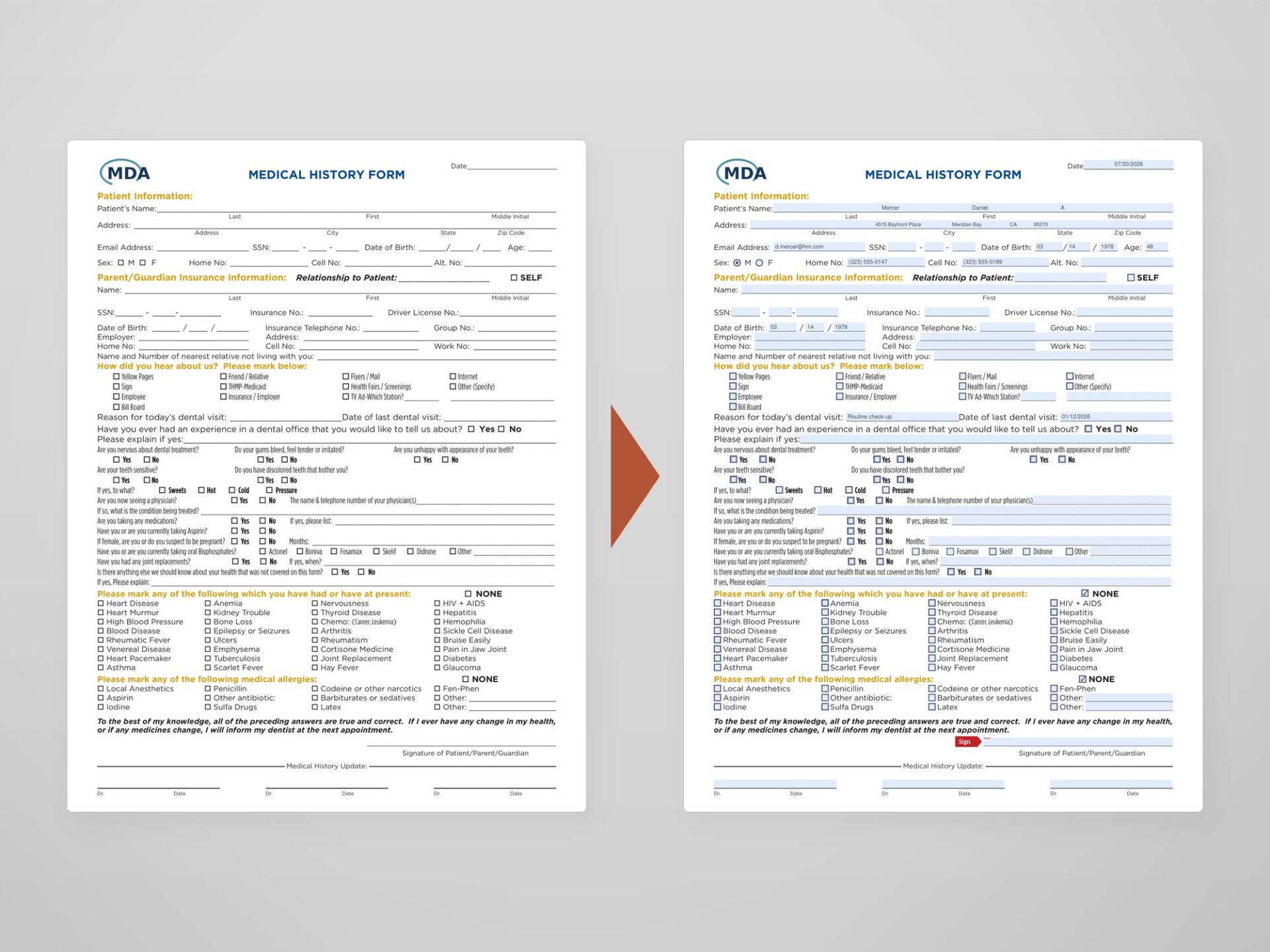
A flat printed medical form beside the same page as an interactive, highlighted fillable PDF
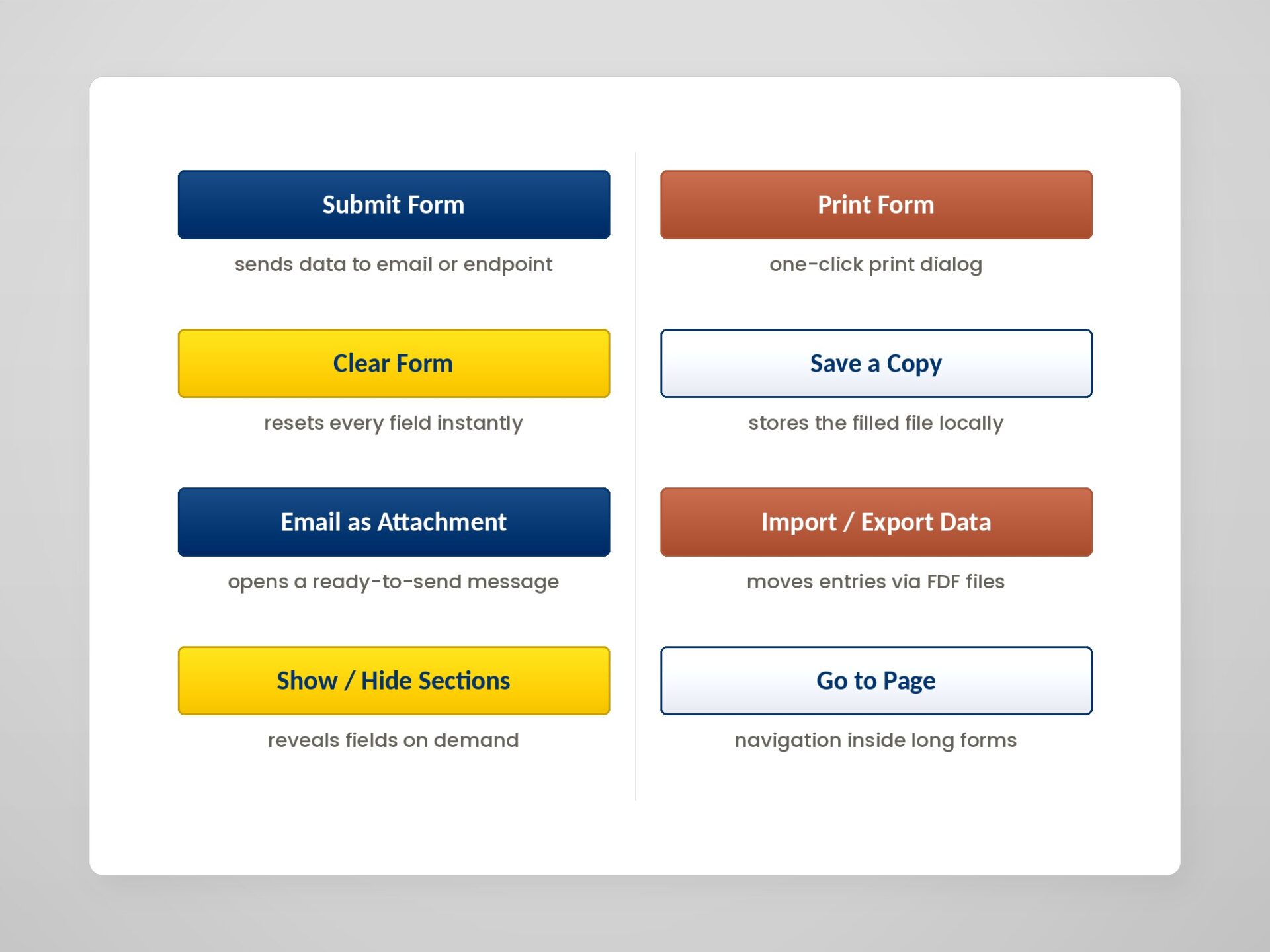
Colored PDF form action buttons – Submit, Print, Clear, Save, Email, Import/Export, Show/Hide, Go to Page
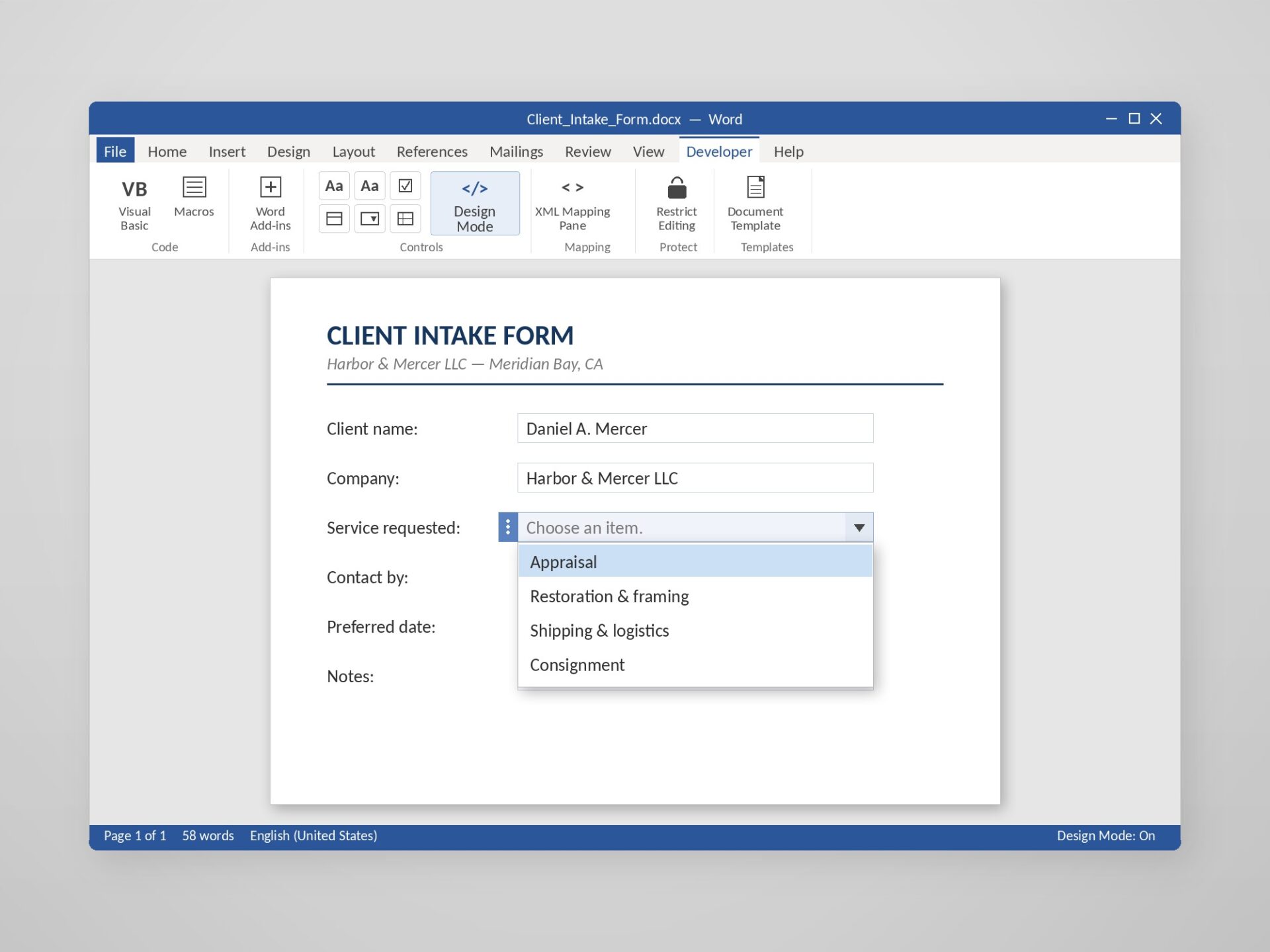
A client intake form in Microsoft Word with content controls and an open dropdown, Developer tab active
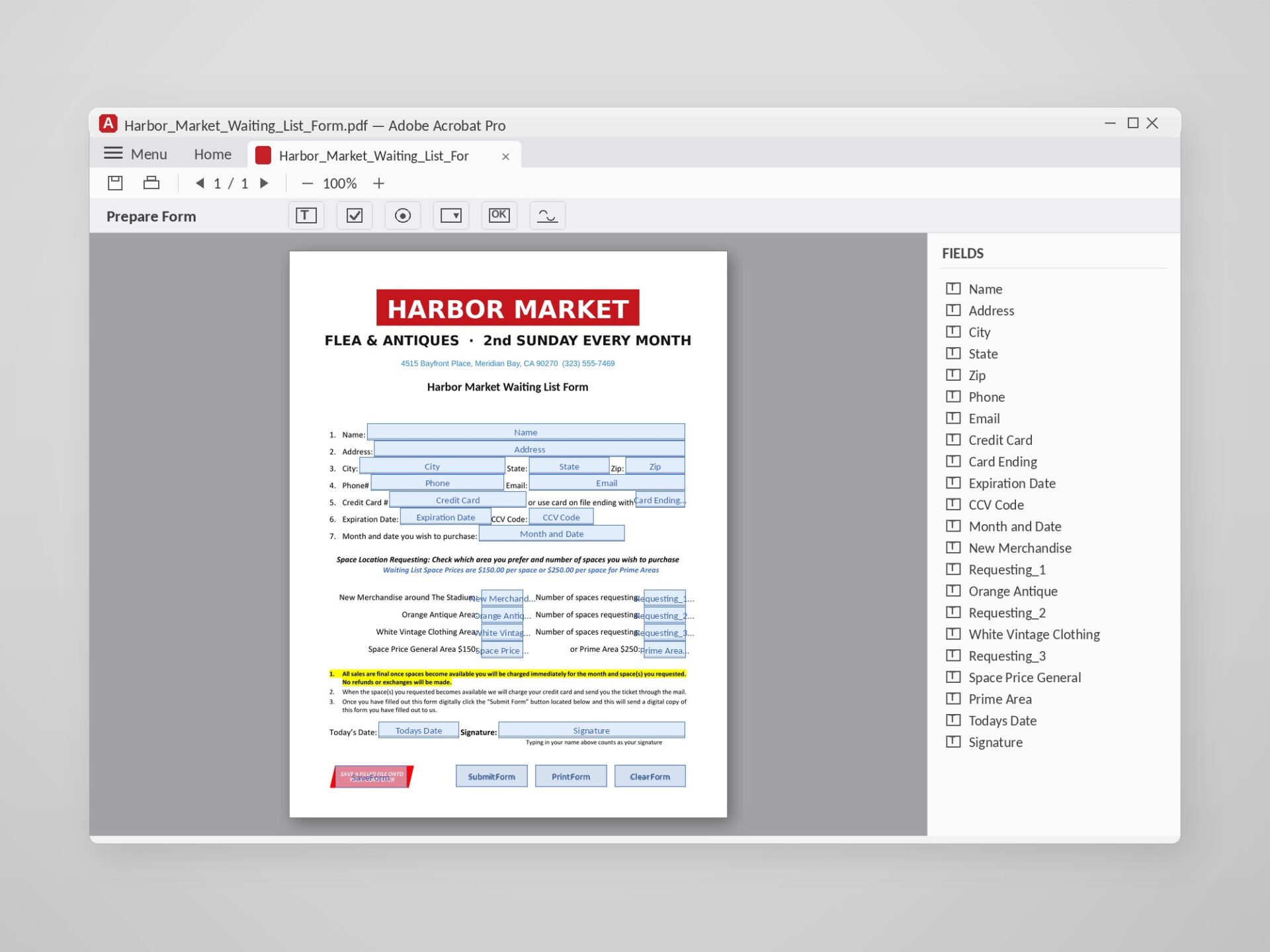
Acrobat's Prepare Form mode showing named field boxes on the page and the full fields panel

About the Client

Event operators, clinics, and public-sector offices that still collect information on printed forms – every response typed in by hand, or worse: printed, signed, scanned, and emailed back. The forms shown carry fictional branding to protect client confidentiality; the builds are real.

Challenge & Solution

Our team rebuilds flat PDF and Word documents as interactive forms people fill on any device, working in Adobe Acrobat Pro:

  • Every field typed and named – text, checkboxes, radio groups, dropdowns
  • Date, phone, and currency formats that validate as people type
  • Automatic calculations that total quantities and prices without math errors
  • Signature fields and required fields marked so nothing gets skipped
  • One-click Submit, Print, and Clear buttons
  • A form that opens and fills in any free PDF reader

The Same Service in Word

For editable-document workflows, we build Word forms with content controls – text fields, dropdown lists, checkboxes, and date pickers – so entries stay consistent across a team, while Restrict Editing protects the layout and leaves only the fields open.

Client Benefits

  • No more print-sign-scan-email loops – forms fill and submit digitally
  • Validated formats and calculations eliminate typing and math errors
  • Logical tab order and named fields make future edits fast
  • Works in any free PDF reader – nothing for recipients to install

Results & Deliverables

  • Production-ready fillable PDFs – named fields, logical tab order, validated formats
  • Automatic calculations and working Submit / Print / Clear buttons
  • Clean field architecture that makes future edits fast
  • Word versions with content controls available on request
  • Delivered ready to send out

Related services: Document Design · Document Formatting

Need work built to this standard?

Tell us about your project – files, languages, deadline – and we will reply with a clear quote within one business day.

Get a Free Quote · Contact Us

Client:
Reference project
Year:
2024
Tools:
Acrobat Pro · Word
Volume:
3 forms · full toolkit
Timeline:
3 days
WE AREe-Doc Ltd
Have a question or project?

Email us – we reply within one business day.
OUR HOURSWe Are Open
Mon – Fri: 09:00 – 18:00 EET

Sat – Sun: Closed

Response: within one business day


Outside these hours – available on request when a team member is free.

OUR OFFICEFrom Ukraine, for the World
https://ebook.ltd/wpcontent/uploads/2019/04/imgfootermap.png
OUR SOCIALSLet’s Stay in Touch
Join our network to get tips, updates, and behind-the-scenes stories.
WE AREe-Doc Ltd
Have a question or project?

Email us – we reply within one business day.
OUR HOURSWe Are Open
Mon – Fri: 09:00 – 18:00 EET

Sat – Sun: Closed

Response: within one business day


Outside these hours – available on request when a team member is free.

OUR OFFICEFrom Ukraine, for the World
https://ebook.ltd/wpcontent/uploads/2019/04/imgfootermap.png
OUR SOCIALSLet’s Stay in Touch
Join our network to get tips, updates, and behind-the-scenes stories.

© 2026 Private Entrepreneur Yevhen Ivaniv, trading as e-Doc Ltd.
All rights reserved.

© 2026 Private Entrepreneur Yevhen Ivaniv, trading as e-Doc Ltd.
All rights reserved.